Peugeot 2008: Proximity Keyless Entry and Start / Unlocking the vehicle
 Selective unlocking (driver’s
door, boot) is configured in the Driving/Vehicle touch screen menu.
Selective unlocking (driver’s
door, boot) is configured in the Driving/Vehicle touch screen menu.
Selective unlocking is deactivated by default.
Complete unlocking
The vehicle (doors and boot) unlocks:
- Either automatically as the driver approaches in zone C, if the automatic functions are activated.
- Or by gently pressing the driver's door handle or boot button.
Unlocking and alarm deactivation is confirmed by the flashing of the sidelamps and/or daytime running lamps.
Depending on version, the door mirrors unfold.
 If
the electronic key remains in zone B for more than 15 minutes without
any action on the vehicle doors, the automatic functions are deactivated and the
vehicle locks.
If
the electronic key remains in zone B for more than 15 minutes without
any action on the vehicle doors, the automatic functions are deactivated and the
vehicle locks.
To unlock the vehicle, use the remote control or press one of the handles.
Selective unlocking
Driver’s door and fuel/charging flap
They unlock:
- Either automatically when approaching the driver’s door, if the automatic functions are activated.
- Or by gently pressing the driver's door handle.
- Once inside the vehicle, to unlock all accesses, press the central locking button or pull the opening control on any door.
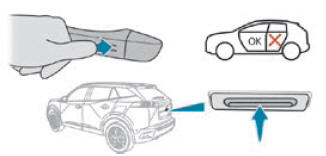
Selective unlocking of the boot
The boot unlocks automatically as you approach the rear of the vehicle.
- Press the tailgate control to open the boot.
The doors remain locked.
 Proximity Keyless Entry and Start
This Keyless Entry and Starting system enables automatic vehicle locking/unlocking
simply by detection of the electronic key.
As long as the driver has the electronic key on their person, the vehicle
unlocks as they approach and locks when they walk away...
 Locking the vehicle
Normal locking
With the doors and boot closed, the vehicle locks:
Either automatically, upon leaving zone B, if the automatic functions
are activated...
Other information:
Peugeot 2008 2019-2026 Owner's Manual: Orange warning/indicator lamps
Service Temporarily on, accompanied by the display of a message. One or more minor faults, for which there is/are no specific warning lamp(s), have been detected. Identify the cause of the fault using the message displayed in the instrument panel...
Peugeot 2008 2019-2026 Owner's Manual: Hazard warning lamps. Horn. Pedestrian horn (Electric)
Hazard warning lamps Pressing the red button causes all the direction indicators to flash. They can operate with the ignition off. Automatic operation of hazard warning lamps When braking in an emergency, depending on the rate of deceleration, the hazard warning lamps come on automatically...
Categories
- Manuals Home
- 2nd Generation Peugeot 2008 Owners Manual
- 2nd Generation Peugeot 2008 Service Manual
- Driving modes
- Alarm
- Adaptive Cruise Control
- New on site
- Most important about car
Courtesy lamps. Interior ambience lighting
Courtesy lamps
Non touch-sensitive version