
Peugeot 2008: Instruments / Instrument panels
Peugeot 2008 2019-2026 Owner's Manual / Instruments / Instrument panels
 Instruments
..
 LCD instrument panel
Dials
Analogue speedometer (mph or km/h)
LCD display
Rev counter (x 1,000 rpm), graduation depends on the engine (Petrol or
Diesel)
LCD display
Cruise control/speed limiter settings
Digital speedometer (mph or km/h)
Driving mode selected
Gear shift indicatorSelector position and gear on automatic gearbox
Fuel gauge
Engine oil level indicator (depending on engine)Service indicator,
then..
Other information:
Peugeot 2008 2019-2026 Owner's Manual: Orange warning/indicator lamps
Service Temporarily on, accompanied by the display of a message. One or more minor faults, for which there is/are no specific warning lamp(s), have been detected. Identify the cause of the fault using the message displayed in the instrument panel. You can deal with certain problems yourself, for example an open door or the start of saturation of the particle filter. For other faults, such as ..
Peugeot 2008 2019-2026 Owner's Manual: Telephone
USB sockets Depending on equipment, for more information on the USB sockets compatible with the CarPlay®, MirrorLinkTM or Android Auto applications, refer to the "Ease of use and comfort" section. The synchronisation of a smartphone allows users to display applications adapted to the CarPlay®, MirrorLinkTM or Android Auto technology of the smartphone on the vehicle screen. For the Ca..
Categories
- Manuals Home
- 2nd Generation Peugeot 2008 Owners Manual
- 2nd Generation Peugeot 2008 Service Manual
- Proximity Keyless Entry and Start
- Refuelling
- Locking the vehicle
- New on site
- Most important about car
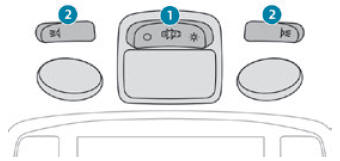
Courtesy lamps. Interior ambience lighting
Courtesy lamps
Non touch-sensitive version

Copyright © 2026 www.pe2008.net